Instagram Stories Playbook for Fashion Creators
Stories are where fashion audiences decide if a creator feels consistent, clickable, and worth returning to. The fastest wins come from a repeatable structure: daily Story “pillars,” strong visual continuity, simple engagement prompts, and clear paths to shop, save, and DM. This guide breaks Stories into practical, reusable formats that fit outfit content, styling education, creator lifestyle, and product discovery—without needing to post all day. For more guidance, see How Female Online Businesses and Brands Are Using ….
A simple Story structure that works for fashion
Most days can run on a 3-part flow: Hook (1–2 frames) → Value (2–4 frames) → Action (1 frame). It keeps viewers moving while giving you a clear ending instead of drifting into “one more clip” territory. For further reading, see Fashion designer’s identity self-verification through social ….
- Hook ideas that fit fashion: before/after styling, “pick my look,” a close-up fabric detail, or a quick mirror clip with a bold text overlay.
- Value ideas: one styling rule, three outfit options, a color pairing tip, a sizing note, “where to wear it,” or a mini try-on sequence.
- Actions that feel natural: a poll, slider, question box, “DM the word LOOK,” a link sticker to shop, or “save this for later.”
- Keep frames short: one main idea per frame; let the visual lead and use text to clarify.
If you want a plug-and-play set of Story formats built for outfit content, Instagram Stories for Fashion Creators is a quick reference you can keep open while filming.
Visual continuity: how to look cohesive without over-editing
Consistency reads as “professional” in fashion, even when the content is casual. The goal is a recognizable look that doesn’t steal attention from the outfit.
- Text style: choose one font family, two weights, and two sizes (headline + caption).
- Micro color palette: pick wardrobe-friendly tones (like black/cream plus one accent) for highlights and simple doodles.
- Repeatable layout: top headline, bottom caption, and clean margins so outfits stay the focus.
- Subtle brand cues: a recurring sticker, a signature divider line, or a simple “GRWM” title card (skip emoji clutter).
- Avoid clutter: minimize GIFs; use one sticker per frame unless it supports the message.
For official formatting and Story behavior basics, Meta’s documentation is a helpful reference: Instagram Help Center: About Stories.
Daily content pillars (rotate these so Stories never feel random)
Instead of guessing what to post, rotate pillars. This makes your Stories feel intentional while still staying flexible day to day.
- Outfit proof: mirror clips, full-body photo, outdoor shot, then a 3-frame “details” sequence (shoes, bag, fabric).
- Styling education: “one item, three ways,” capsule pairing, proportion tips, and “don’t do this” fit comparisons.
- Shopping guidance: size and fabric notes, price-per-wear reasoning, and “similar options” when something sells out.
- Creator life: packing, tailoring visit, rack organization, mood boards, or event prep—kept short and purposeful.
- Community: polls, “help me choose,” Q&A boxes, and DM prompts that lead to real conversations.
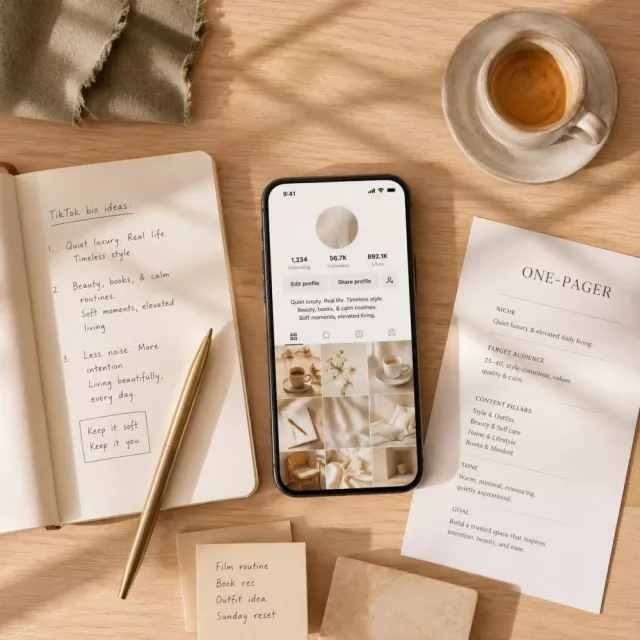
When you’re tightening your overall funnel (bio, pinned content, and profile clarity), TikTok Bio & Profile Checklist can help you standardize your “first impression” across platforms.
A 7-day Story plan for outfit creators (repeat weekly)
This weekly loop keeps your audience oriented: what you’re doing, why it matters, and how to interact. Repeat it weekly and swap the theme (workwear week, wedding guest week, summer basics week, etc.).
| Day | Theme | Frames to post | Best interactive sticker | Primary action |
|---|---|---|---|---|
| Mon | Reset + preview | 4–6 | Poll | Set expectations for the week |
| Tue | Try-on sequence | 5–8 | Question box | Collect fit/occasion needs |
| Wed | Details + fit notes | 4–6 | Quiz | Build authority + drive clicks |
| Thu | Styling rule mini-lesson | 4–6 | Quiz | Teach + increase completion rate |
| Fri | Shop picks | 5–8 | Poll | Send traffic to links/DMs |
| Sat | Community reposts | 3–6 | Slider | Encourage tagging + UGC |
| Sun | Recap + next theme | 4–6 | Poll | Boost saves + plan content |
Engagement tools that feel natural in fashion content
- Polls: use binary choices that match outfits (“boots or loafers,” “cropped or full length,” “gold or silver”).
- Quiz: turn style tips into quick tests (“Which neckline balances broad shoulders best?”).
- Question box: ask for constraints (“budget, occasion, climate, dress code”) so answers become your next Story plan.
- DM triggers: simple keywords (“DM ‘WORK’ for 5 office outfits”) to start conversations you can continue tomorrow.
- Link sticker best practice: one clear link per frame; add a plain-text label (“Shop the blazer here”).
If you’re running promotions or want a clearer understanding of placements, Meta’s overview is useful: Meta Business Help Center: About Instagram Stories ads and placements.
Turning Stories into sales (without sounding pushy)
When you’re ready to diversify beyond links, Multiple Revenue Streams: A Creator’s Manual maps out ways fashion creators can stack income without relying on one platform feature.
Mistakes that quietly reduce Story performance
Ready-to-use Story templates for fashion days
FAQ
How many Instagram Story frames should a fashion creator post per day?
A practical daily range is 4–8 frames, using a hook/value/action flow. Go longer on try-on days (like 8–12) if you add quick title cards and keep one main action per frame so the sequence feels organized.
What should go in fashion Story Highlights?
Use Highlights like store aisles: Sizing/Fit, Workwear, Weekend, Dresses, Shoes, Basics, Brands, and Deals. Keep covers consistent, and refresh each Highlight as seasons change so new followers immediately find what they need.
How do you get more replies and DMs from outfit Stories?
Use polls for low-effort taps, question boxes that ask for constraints (budget, climate, dress code), and DM keyword prompts like “DM ‘DATE’ for 3 dinner outfits.” Respond quickly and turn common questions into the next day’s Stories so viewers learn that messaging you leads to real help.